
Broad data detection
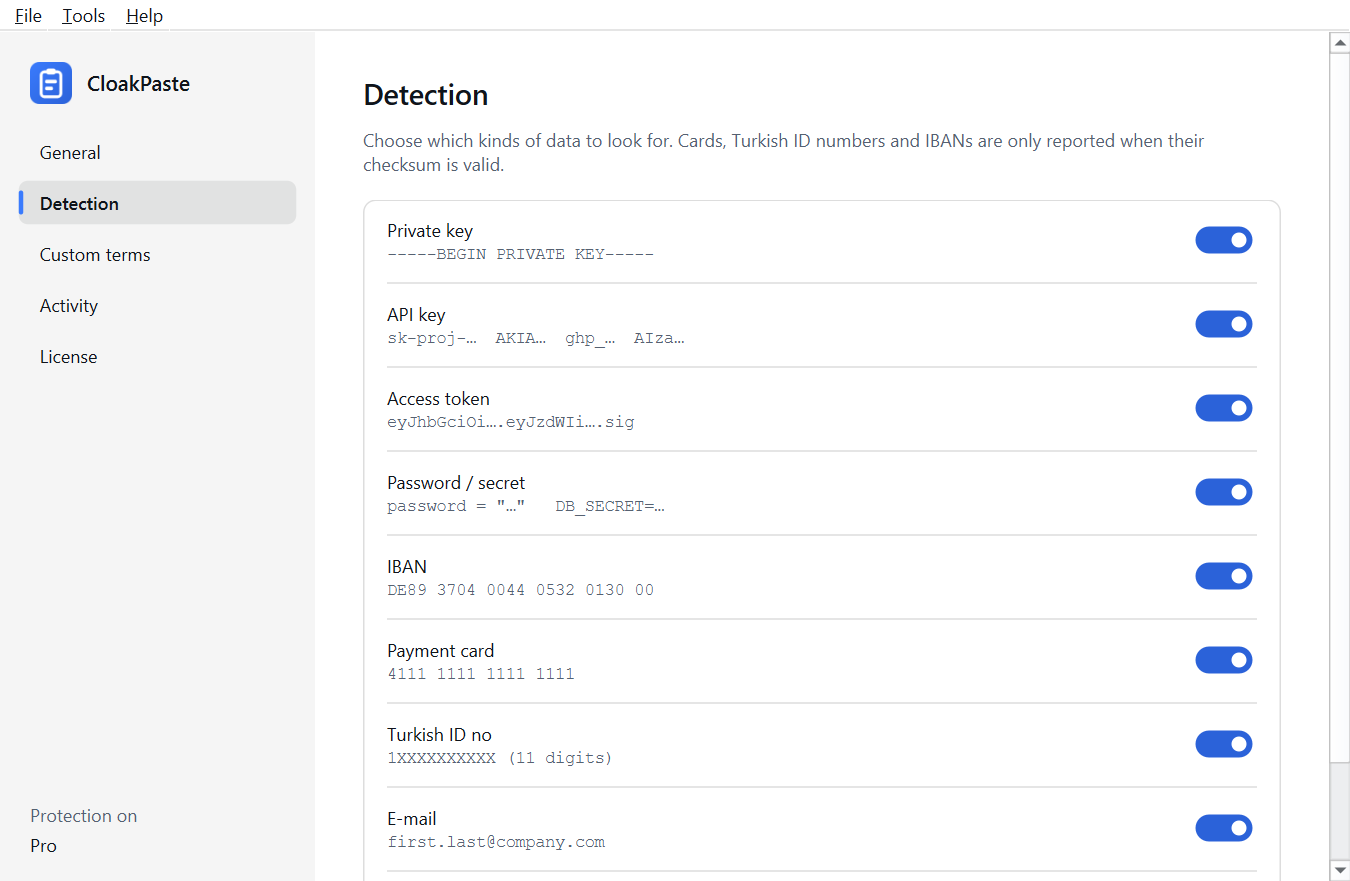
API keys (OpenAI, Anthropic, AWS, GitHub, Slack, Google, Stripe), private key blocks, JWT tokens, passwords written in code, payment cards, Turkish ID numbers, IBANs and e-mail addresses.
When you paste an error message, a piece of code or a customer email into ChatGPT, passwords, API keys, card and ID numbers can go along with it. CloakPaste scans your clipboard on your computer and warns you when you switch to an AI chat with sensitive data on it.
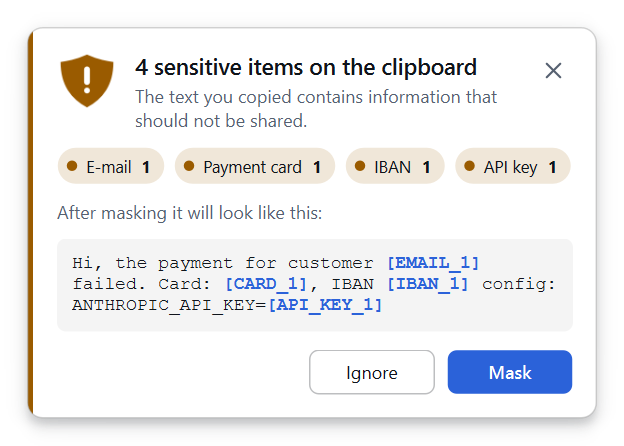
API keys (OpenAI, Anthropic, AWS, GitHub, Slack, Google, Stripe), private key blocks, JWT tokens, passwords written in code, payment cards, Turkish ID numbers, IBANs and e-mail addresses.
Cards, Turkish ID numbers and IBANs are only reported when their checksum is valid; order and phone numbers do not trigger a warning.
Recognises ChatGPT, Claude, Gemini and Copilot in the browser from the address bar (tested with Chrome and Edge); or warn in every app if you prefer.
Choose which data types to look for, pause scanning, and start CloakPaste with Windows.
Tells you when Windows clipboard history (Win+V) is on and links to the setting.
The free version sends no data; what you copy and the values found never leave your computer.
The interface speaks two languages and follows your light or dark theme. Built-in help (F1) needs no internet.
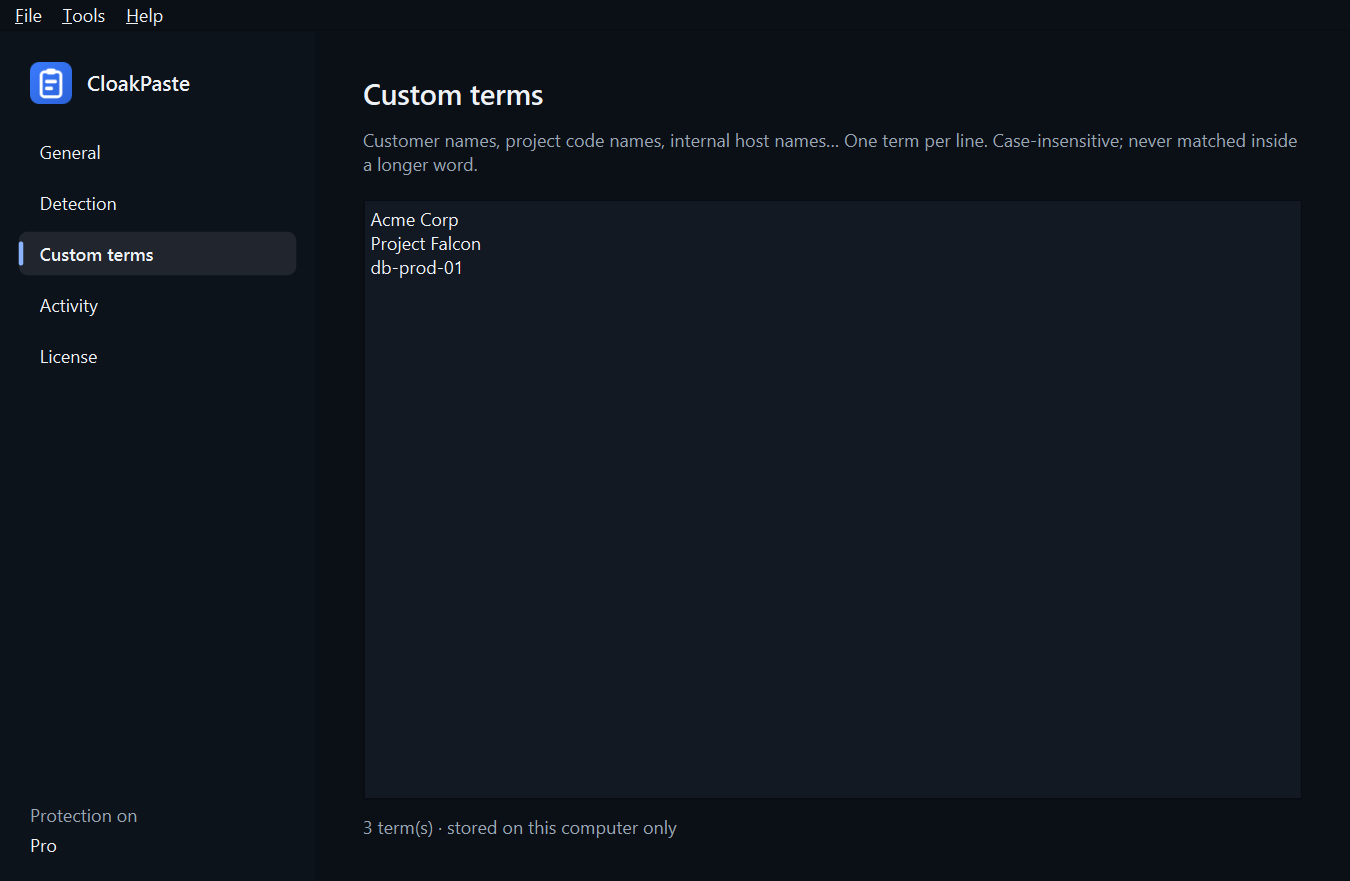
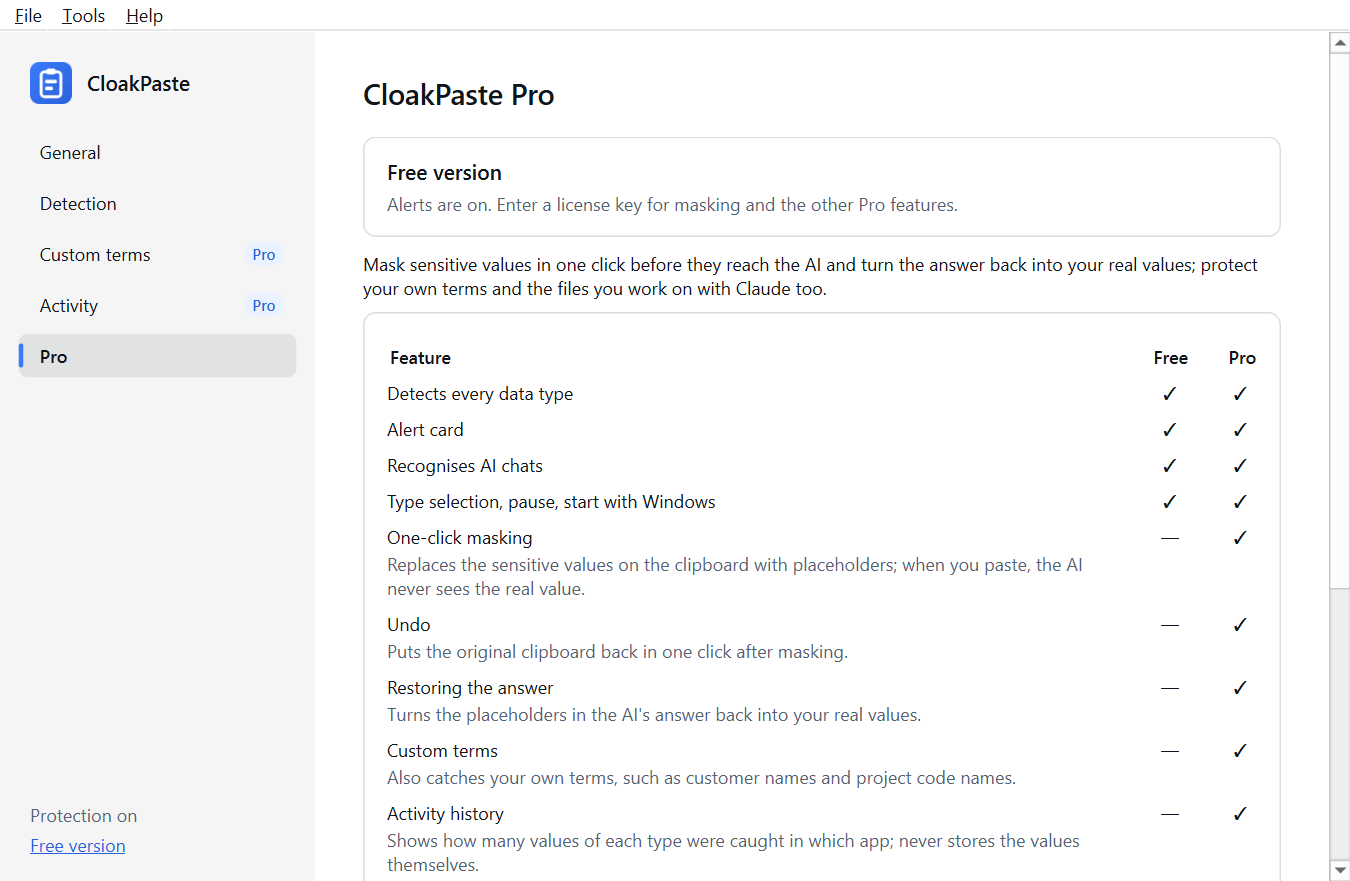
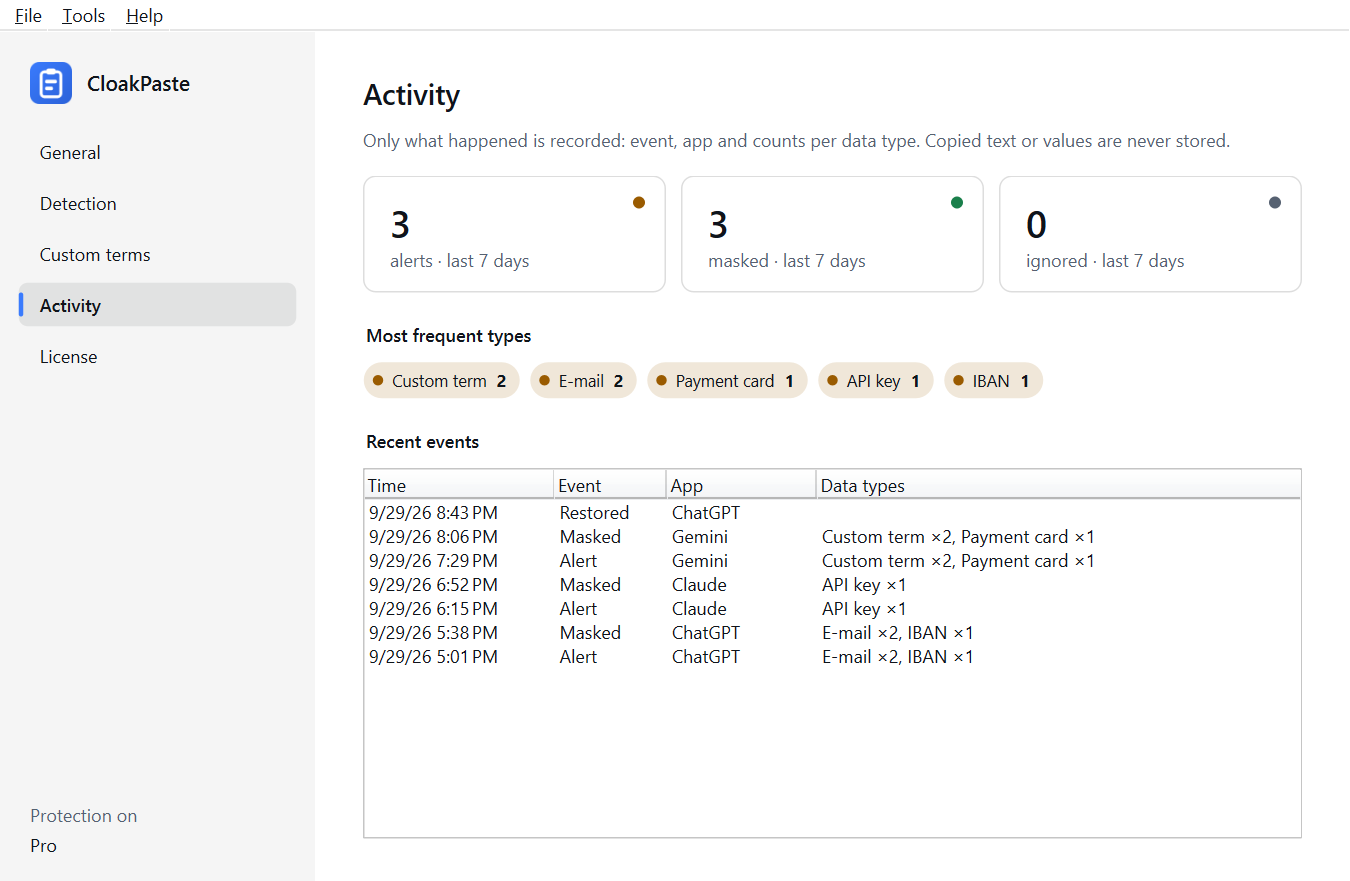
Detecting every data type, warning you and recognising AI chats are free forever. Pro adds one-click masking, restore, undo, custom terms, activity history and the Claude integration (MCP).
| Feature | Free | Pro |
|---|---|---|
| Detect every data type | Yes | Yes |
| Warning when you switch to an AI chat | Yes | Yes |
| Recognise AI chats (ChatGPT, Claude, Gemini, Copilot) | Yes | Yes |
| Data type selection, pause, start with Windows | Yes | Yes |
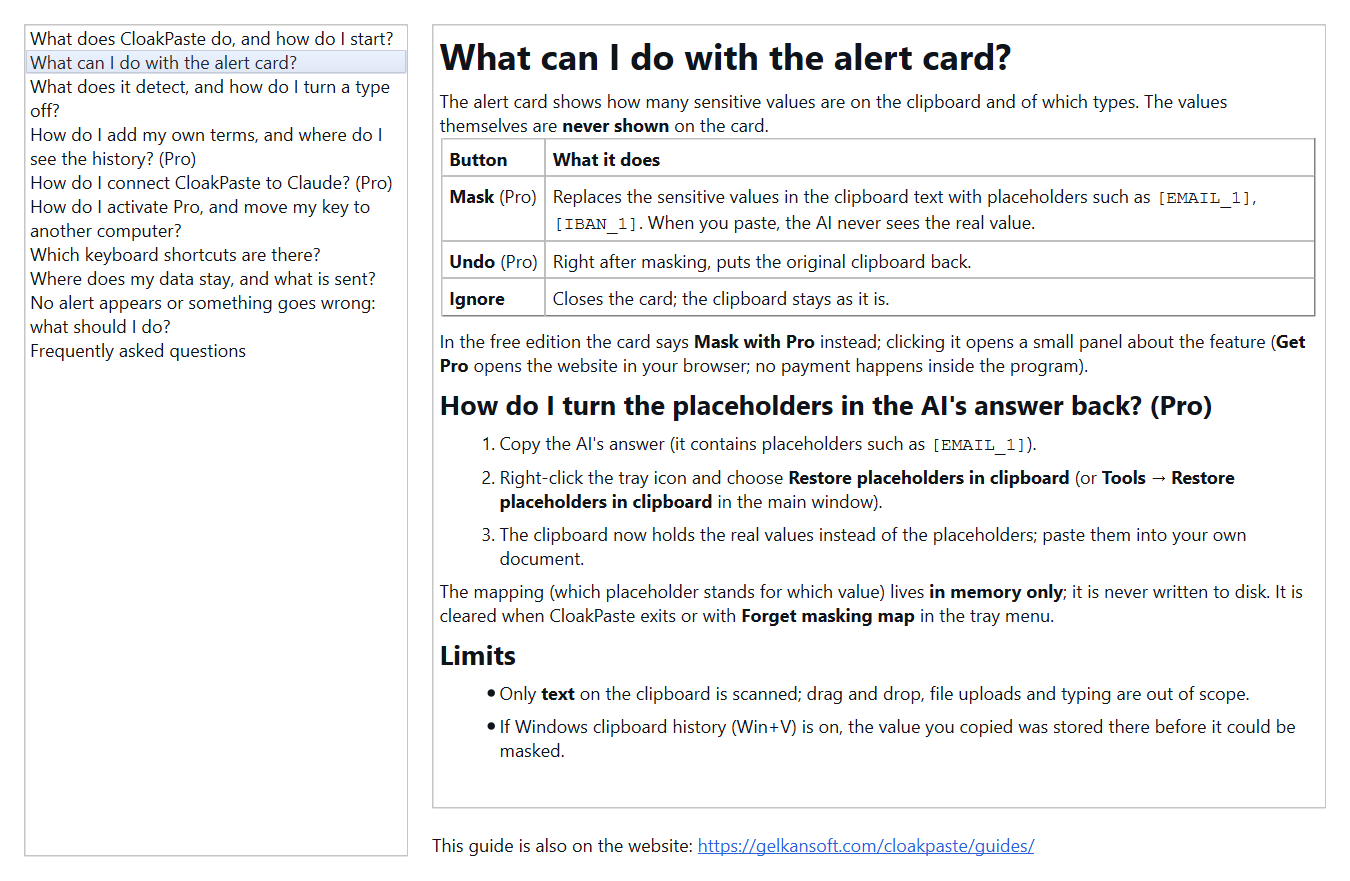
| One-click masking | No | Yes |
| Undo masking | No | Yes |
| Restore labels to real values | No | Yes |
| Custom terms | No | Yes |
| Activity history | No | Yes |
| Claude integration (MCP) | No | Yes |
$19.99
One-time payment, 3 computers. All 1.x updates included.
Checkout opens soon. You will be able to buy Pro here as soon as checkout opens. Until then every feature of the free version can be used with no time limit.
Pro is a one-time payment, not a subscription.
No, it warns — it does not block. Blocking a paste would need a program that watches your keyboard, which CloakPaste does not do; if you paste very fast, the data may already be gone. It only scans clipboard text: drag-and-drop, file uploads and what you type by hand are out of scope, and it does not recognise names or addresses by itself. The Claude integration is not a security boundary, it only prevents accidental exposure.
Windows 10 and 11 (64-bit). No administrator rights needed; installs per user.
The first release will be here very soon. Write to our support address if you'd like to hear when it's out.
Yes. Detecting every data type and warning you is free forever — no ads, no account, no sign-up.
One-click masking and restore, custom terms, activity history and the Claude integration. One payment, no subscription.
No. Scanning happens on your computer; what you copy and the values found are never sent and never stored. The activity history (Pro) keeps counts only.
After purchase you receive a license key by e-mail. CloakPaste → Help → License… → paste the key → Activate. The first activation needs the internet; after that it renews itself once a month and keeps working offline for 60 days.
Write to us at the support address from the e-mail you used at checkout and we will resend it.
Yes, one license covers 3 computers. When you switch computers, use “Remove from this computer” on the old one; if you can no longer reach it, write to us.
In the browser: ChatGPT (chatgpt.com), Claude (claude.ai), Gemini (gemini.google.com) and Copilot (copilot.microsoft.com); tested with Chrome and Edge. To be warned everywhere else too, turn on “Alert in every app”.
Yes. It understands labels such as [EMAIL_1] and works with them. Copy the reply and choose “Restore” to get the real values back.
You can get a full refund within 14 days of purchase, no questions asked.