
Per-app speed limits
Set download and upload speed separately for every program. Enter the value in KB/s, MB/s or Mbit/s.
Stop the updater from choking your connection while you game. Interlimiter caps the download and upload speed of each program separately, and blocks the ones you don't want online at all.
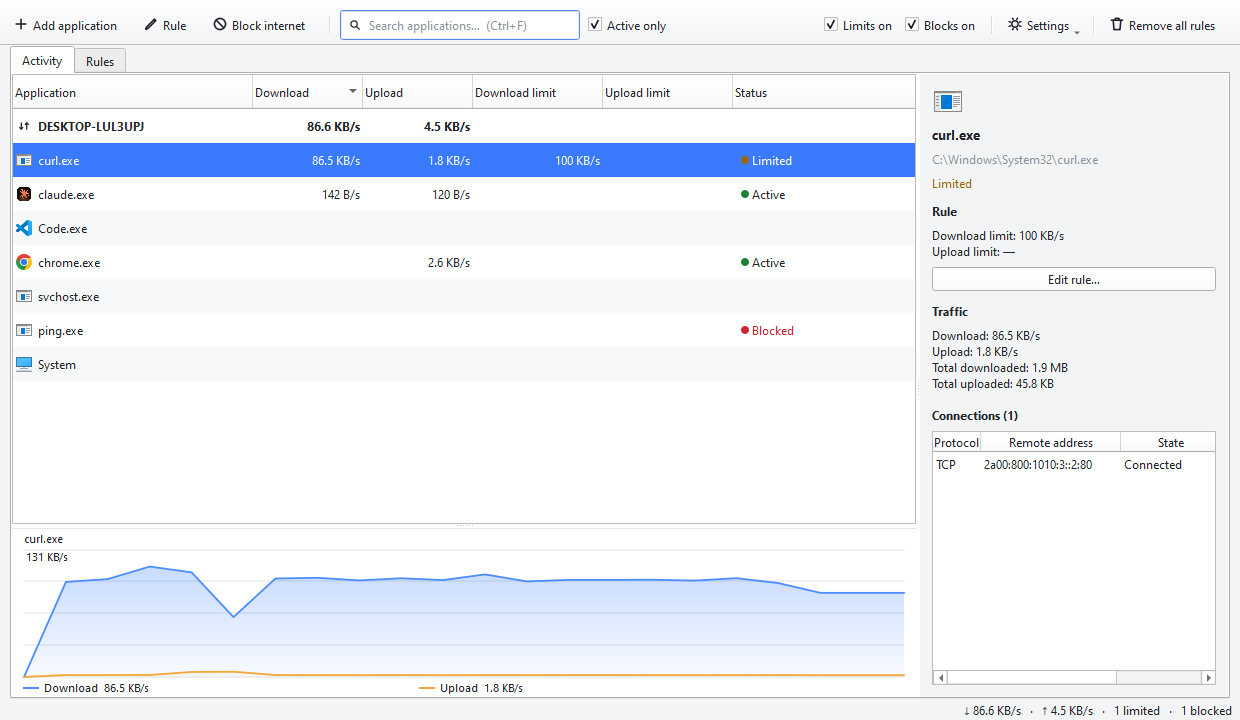
Set download and upload speed separately for every program. Enter the value in KB/s, MB/s or Mbit/s.
Stop a program from reaching the internet. The block survives closing the app and restarting the computer.
See what each program is downloading right now. It takes seconds to find out who is filling your connection.
Close the window and it moves to the system tray with your rules still enforced. It can start with Windows if you want.
Your limits and blocks are saved and restored, so they are still there after a reboot.
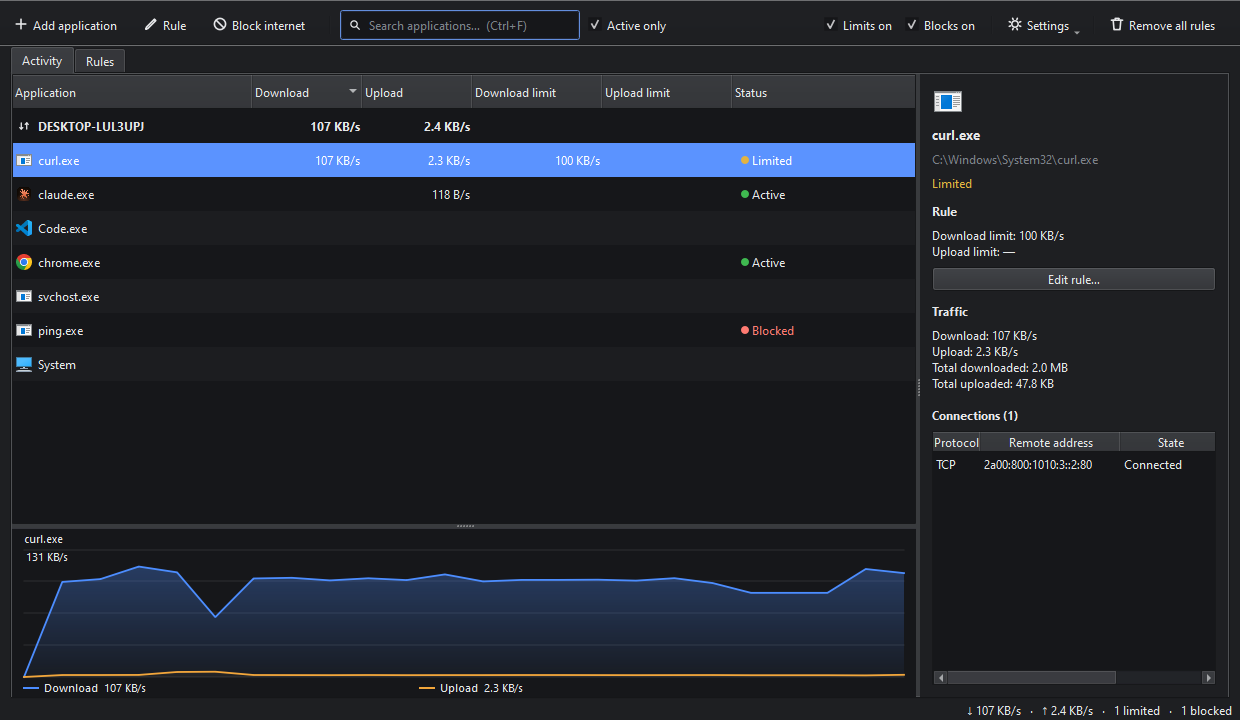
No networking knowledge needed. Pick the program from the list, type the limit, done. The interface speaks 10 languages and follows the Windows light or dark theme.
Select a program and the side panel shows its rule, total traffic and the connections it has open right now — which address, which protocol. All your rules are listed on their own tab.
Blocking and speed limits work fully in the free version, with no limit on how many programs you can add. Pro adds scheduling, quotas and reporting.
| Feature | Free | Pro |
|---|---|---|
| Unlimited program blocking | Yes | Yes |
| Unlimited download/upload limits | Yes | Yes |
| Live speed graph | Yes | Yes |
| System tray, start with Windows | Yes | Yes |
| Scheduling (lift limits at night) | No | Yes |
| Quotas (cut off after 5 GB a day) | No | Yes |
| Usage history and reports | No | Yes |
| Profiles (Gaming, Meeting) | No | Yes |
| Overage alerts | No | Yes |
$14.99
One-time payment, one computer. All 1.x updates included.
Launch price: $9.99 for the first three months. · Refundable within 14 days, no questions asked.
Pro is a one-time payment, not a subscription.
Windows 10 and 11 (64-bit). Setup asks for administrator rights because the app installs a network driver.
Version — · — · Changelog
The things people do most often with Interlimiter, step by step and with screenshots. All of it works in the free version.
Cap the download and upload speed of one program and leave everything else at full speed.
Stop a program from going online with one click, and allow it again whenever you want.
See which program is filling your connection in real time and inspect the addresses it is talking to.
The free version has no ads, no trial period and no limit on how many programs you can block. Pro is optional.
To see and slow down each program's traffic, a driver (WinDivert) is installed into the Windows network layer, which is not possible without administrator rights. Many well-known network tools use the same driver.
Programs that use a network driver can trigger warnings in some antivirus products. The installer is signed, and you should only download it from this site.
In our measurements the real speed stays within roughly five to ten percent of the target. Download limiting is indirect: the server cannot be told to slow down, so incoming packets are delayed instead. That makes the speed fluctuate a little around the target.
If you have not set any limits, traffic is only monitored and never touched. On very fast connections (above roughly 120 Mbit/s) a program you have limited cannot exceed that ceiling.
“Remove all rules” in the app deletes every firewall rule it created. Your own firewall rules are never touched.
The interface is available in English, Turkish, Chinese, Spanish, Arabic, Portuguese, French, Russian, German and Hindi. It picks your Windows language on first run and you can change it from the Settings menu.
On Windows, the ping command does not send its packets itself — the operating system kernel sends them. That is why no per-application firewall rule, including ours, can stop ping. Test the block with a browser or a downloader instead.
Yes. Write to us within 14 days of your purchase and we refund it, no questions asked. The payment provider returns the money to the same card. The free version never expires anyway, so you can try it first and decide later.