
Automatic screenshots and step text
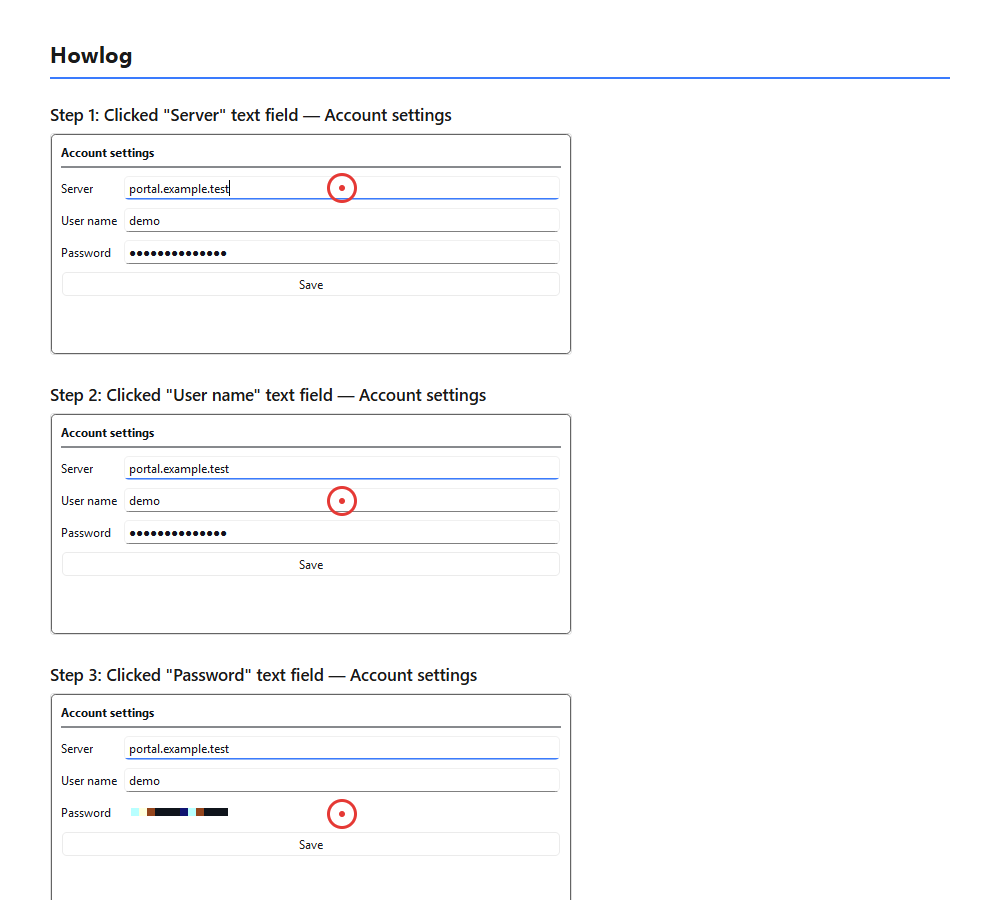
Every click takes a screenshot of the window you clicked; the name of the clicked element (button, menu item, text box…) and the window title are written into the step text automatically. No manual typing needed.
Howlog captures the left clicks on your screen and turns each step into a numbered guide with a screenshot, the window title and the name of the clicked element. It is an alternative to the Windows Steps Recorder: no admin rights needed, no internet needed, and your screenshots never leave your computer. Delete steps, reorder them, export to HTML or an animated GIF; all free with no time limit.
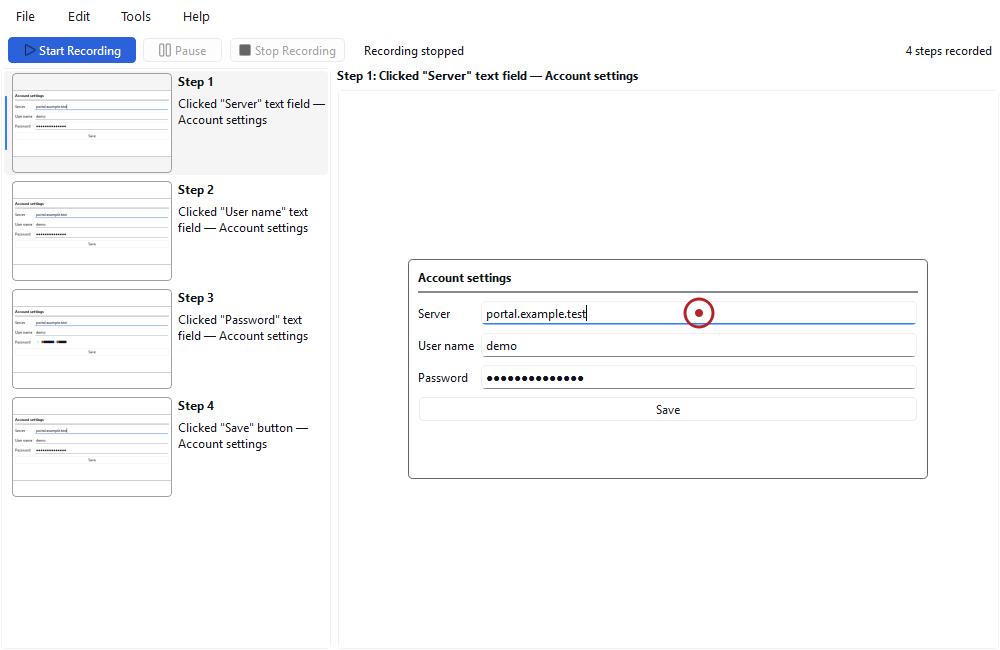
Every click takes a screenshot of the window you clicked; the name of the clicked element (button, menu item, text box…) and the window title are written into the step text automatically. No manual typing needed.
Password fields you click during recording are pixelated automatically in the screenshot. Only password fields are detected; everything else on screen stays as it is, so review the steps before you share them.
No account, no upload, no internet needed. During recording the screenshots sit only in a temporary folder on your computer; the internet is used only for Pro activation.
Delete unnecessary steps and reorder them by dragging or with Alt+Up / Alt+Down; no need to re-record. Step numbers update by themselves. In the free edition.
Export steps and screenshots as a numbered guide in a single HTML file, or save an animated GIF that shows each step for about 3 seconds. The files carry the images inside, so you can send them by email. In the free edition.
Export the guide to PDF on A4 pages or to DOCX you can edit in Word. Replace the automatic step texts with your own words: "Confirm the operation" instead of "Clicked OK".
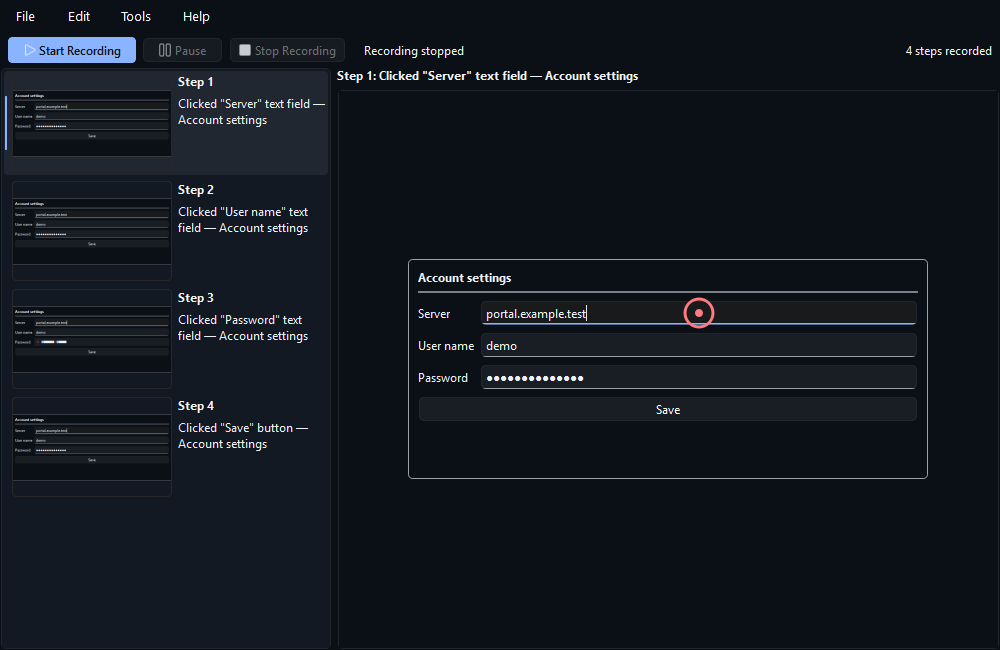
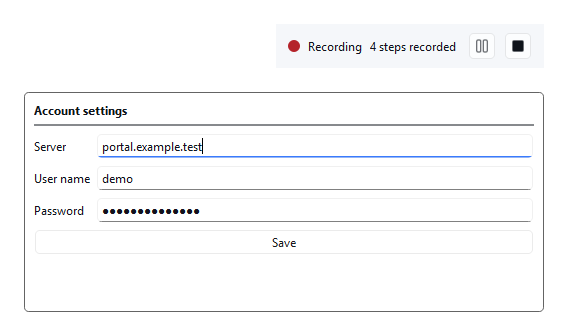
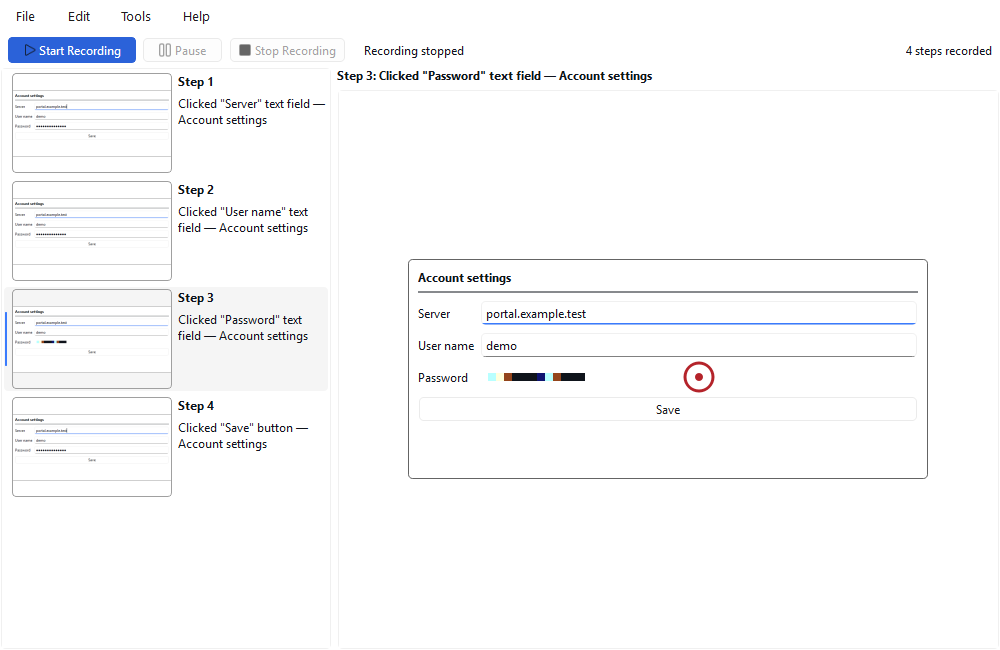
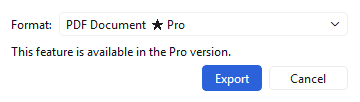
Click recording, automatic step text, deleting and reordering steps, password field pixelation, and export to HTML and animated GIF are free with no time limit. Pro adds export to PDF and Word (DOCX) and step text editing.
| Feature | Free | Pro |
|---|---|---|
| Click recording: a screenshot and automatic step text (element name, window title) on every click | Yes | Yes |
| Reviewing, deleting and reordering steps; pixelation of clicked password fields | Yes | Yes |
| Export to HTML and animated GIF | Yes | Yes |
| Export to PDF | No | Yes |
| Export to Word (DOCX) | No | Yes |
| Step text editing | No | Yes |
Our promise: no feature marked “Yes” in the Free column will ever move to Pro in a later version. The free version never expires and has no ads, account or sign-up.
Get Pro
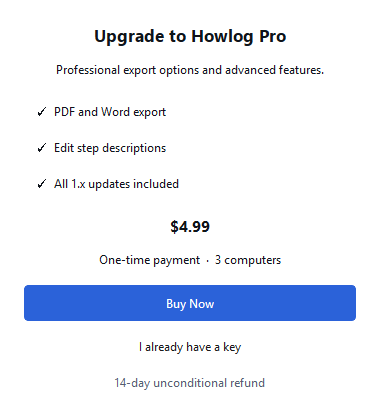
Pro is a one-time $4.99. To start, enter your e-mail address; the licence key is sent to it.
The key is sent to this address only; we keep the address to send and manage the licence and use it for nothing else. Nothing is charged at this step.
Pro is a one-time payment, not a subscription.
Your screenshots and recordings never leave your computer: their content, names and paths are never sent anywhere or written to the log. No usage data is collected. The free edition never connects to the internet; for Pro activation only your key, the product name and an irreversible hash of the computer are sent to the license server.
For Windows 10 and 11 (64-bit), no administrator rights needed; it installs per user. The free edition never expires; you switch to Pro from within the same program. System requirements: Windows 10 or 11, 64-bit · no administrator rights needed · recording and export work offline; internet only for Pro activation and renewal every 30 days; works with a direct connection or an HTTP proxy, does not work with a SOCKS-only proxy.
The Store version is the same program: no Windows warning, and the Store installs updates.
Version 1.0.0 · 26.8 MB · Changelog
SHA-256: d247f4e8d69f422308909edeed84679e0d81d230d223de3abd5e9c686d29a780
VirusTotal scan (2026-10-11): 1 detections from 71 antivirus engines. The detections are automated (heuristic) guesses common for unsigned programs; Microsoft's has been reported as a false positive. The network driver the program uses (WinDivert) is listed as a “risk tool” by some antivirus products. View report
The things people do most often with Howlog, step by step and with screenshots. Recording and HTML and GIF export work in the free version; PDF, Word and step text editing are Pro.
A tool that records your clicks with screenshots and turns them into a numbered step guide, with no admin rights and no internet needed.
Do a task once and record it; tidy the steps and share them as HTML or GIF (free), PDF or Word (Pro).
Reproduce the problem once and let Howlog record the steps with screenshots; attach the result to the support request as HTML or GIF.
Microsoft has announced that Steps Recorder (psr.exe) is no longer being updated and will be removed in a future release of Windows (November 2023). Howlog does a similar job: it records your clicks with screenshots and creates a numbered step guide.
No. Screenshots and steps stay on your computer; Howlog never sends them to a server or the cloud under any condition. Screenshots taken during recording sit in a temporary folder and are deleted on New Recording, when you close the program, or at the next start. The files you export carry their own copies of the images and are not deleted.
Standard Windows applications (Win32, .NET, UWP). Clicks in windows running as administrator may not be recorded and the element name may not be available; that is a Windows security boundary. Some Microsoft Store (UWP) apps may restrict access to element information; the step text then stays generic.
Recording, automatic step text, deleting and reordering steps, password field pixelation, and HTML and GIF export are free. It never expires and never locks; there are no ads and no upgrade prompts.
No. It is a one-time payment; it works on 3 computers and includes all 1.x updates. You can get a refund within 14 days, no questions asked.
Pro turns itself off and the program continues as the free edition. Nothing is charged, nothing renews; the files you exported are yours to keep.
On the old computer, use “Remove from this computer” in Help › License to release the seat, then enter the key on the new computer.
If your Windows proxy setting is SOCKS-only (the proxy address starts with "socks="), Howlog cannot send the activation request through it; it sends the request directly or through an HTTP proxy. Free features are unaffected. Ask your network administrator for an HTTP proxy address, or activate on a connection without SOCKS.
Consecutive clicks less than about 150 milliseconds apart count as a single step. Normal use does not reach this limit.
Howlog does not require admin rights. However, clicks in a window running as administrator may not be recorded and the element name may not be available. Clicks are also not recorded while the recording is paused; you can see the state on the recording bar. Clicks on Howlog's own windows and on the recording bar do not become steps.