
Big files, no waiting
In a 2 GB file with 15 million rows the first rows appeared in under a second; browsing and searching work while the scan continues in the background (measured on a dual-core laptop processor, Intel i5-5250U).
CsvDrill opens CSV and TSV files with millions of rows on your own computer: the first rows appear right away, and you can browse and search while the rest of the file is scanned in the background. The file is never uploaded, no internet is needed and CsvDrill never changes your file. Encoding, delimiter and number format (1,234.56 or 1.234,56) are detected automatically.
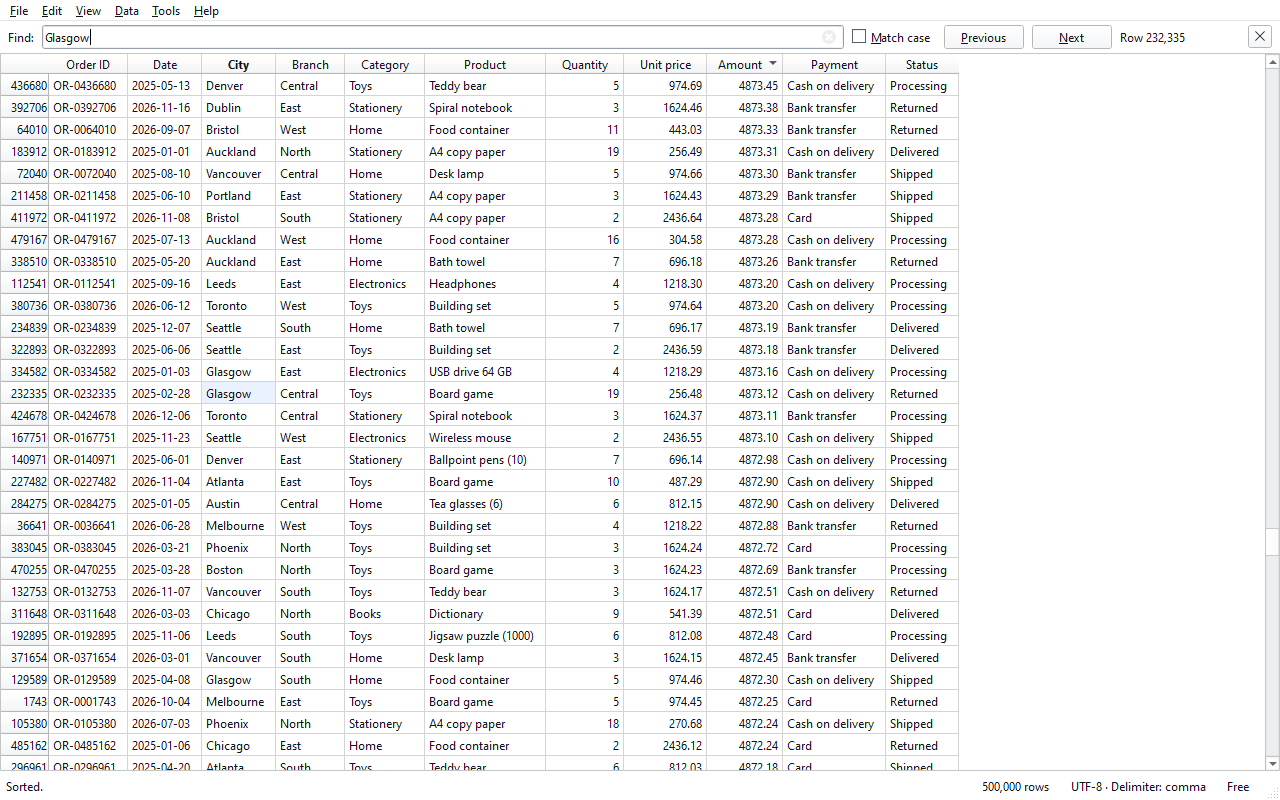
In a 2 GB file with 15 million rows the first rows appeared in under a second; browsing and searching work while the scan continues in the background (measured on a dual-core laptop processor, Intel i5-5250U).
UTF-8 and Windows-1252/1254, comma or semicolon delimiters, 1,234.56 and 1.234,56 numbers, and 2026-12-31 and 31.12.2026 dates are detected automatically. Sorting understands numbers and dates, not just text.
The file is opened read-only and never changed; saving, converting and splitting always write a new file. No upload, no account; the internet is used only for Pro activation.
Sort by number, date and text columns, filter with one condition, and get column statistics (rows, filled, empty, distinct values, minimum, maximum, sum, average). In the free edition.
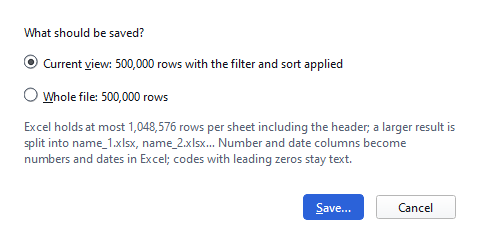
Save the filtered or sorted view to a new CSV file or export it to Excel; results larger than Excel's 1,048,576-row limit are split into parts automatically. Convert the encoding and the delimiter.
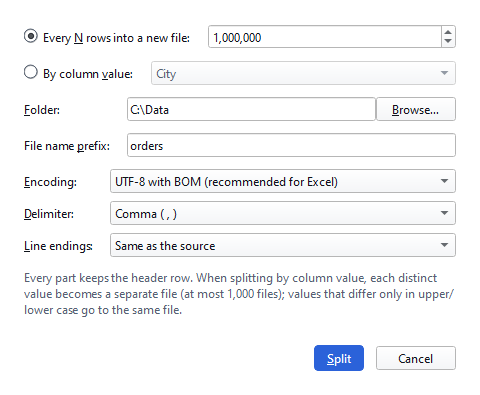
Split a file by number of rows or by the value of a column, merge exports with the same header, filter with several conditions, and query the file with SQL.
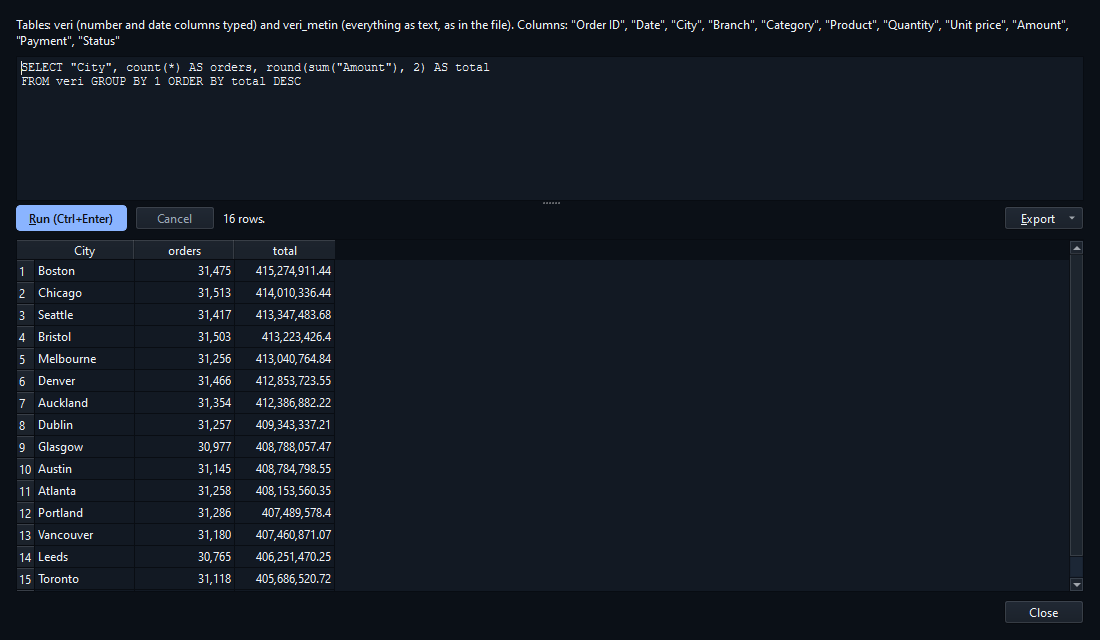
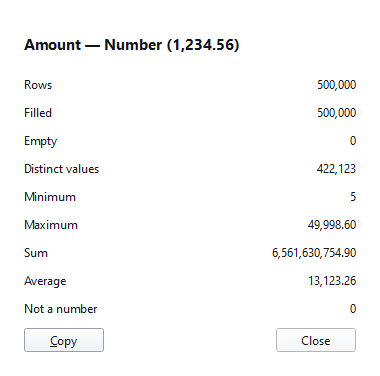
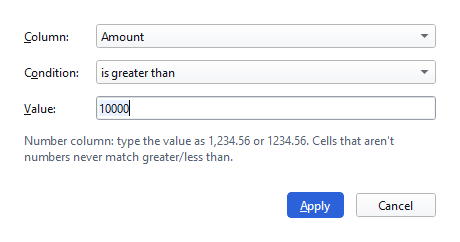
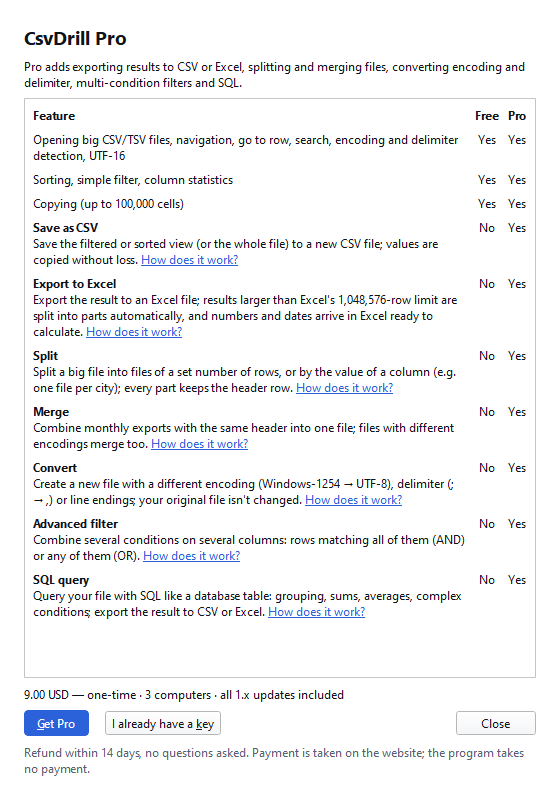
Opening big CSV/TSV files, browsing, going to a row, searching, sorting, single-condition filtering, column statistics and copying up to 100,000 cells are free with no time limit. Pro adds save as CSV, export to Excel, split, merge, convert, advanced filter and SQL query.
| Feature | Free | Pro |
|---|---|---|
| Opening big CSV/TSV files, navigation, go to row, search, encoding and delimiter detection, UTF-16 | Yes | Yes |
| Sorting, simple filter, column statistics | Yes | Yes |
| Copying (up to 100,000 cells) | Yes | Yes |
| Save as CSV | No | Yes |
| Export to Excel | No | Yes |
| Split | No | Yes |
| Merge | No | Yes |
| Convert | No | Yes |
| Advanced filter | No | Yes |
| SQL query | No | Yes |
Our promise: no feature marked “Yes” in the Free column will ever move to Pro in a later version. The free version never expires and has no ads, account or sign-up.
Get Pro
Pro is a one-time $9. To start, enter your e-mail address; the licence key is sent to it.
The key is sent to this address only; we keep the address to send and manage the licence and use it for nothing else. Nothing is charged at this step.
Pro is a one-time payment, not a subscription.
The files you open never leave your computer: their content, names and paths are never sent anywhere or written to the log. No usage data is collected. The free edition never connects to the internet; for Pro activation only your key, the product name and a one-way digest of your computer are sent to the license server.
For Windows 10 and 11 (64-bit), no administrator rights needed. The free edition never expires; you switch to Pro from within the same program. System requirements (measured: 1.0.0, 2026-10-08): Windows 10 or 11, 64-bit · installer 28.6 MB, installed program 106 MB · no administrator rights needed · internet only for Pro activation and the renewal every 30 days; works with a direct connection or an HTTP proxy, not with a SOCKS-only proxy.
The Store version is the same program: no Windows warning, and the Store installs updates.
Version 1.0.0 · 28.6 MB · Changelog
SHA-256: e898a75e68e44ea0e8687b3c1b63b8423af527cf3c8a4b443a868c57f512b02a
VirusTotal scan (2026-10-08): 0 detections from 69 antivirus engines. View report
The things people do most often with CsvDrill, step by step and with screenshots. Opening a large file and reading a garbled file with the right encoding work in the free version; splitting and converting are Pro.
Open a CSV file beyond Excel's 1,048,576-row limit without splitting it, uploading it or changing it.
Split a file into parts that fit in Excel, or into separate files by the value of a column such as city or month; every part keeps the header row.
Garbled letters come from the wrong encoding: choose the right one to read the file correctly, and create a UTF-8 copy or an .xlsx for a lasting fix.
Excel shows at most 1,048,576 rows on a sheet. CsvDrill doesn't load the file into memory; it indexes where the records are, and opens files of up to 2,147,483,647 rows. It was tested with a 2 GB file of 15 million rows: opening, sorting and saving it used at most 443 MB of memory.
No. The file is opened read-only; CsvDrill never writes over the source file. Saving, converting and splitting write a new file and ask before overwriting an existing one. The file's content, name or path is never sent anywhere.
CsvDrill guesses the encoding and the delimiter when it opens the file. If you see letters like "é", choose UTF-8 or Windows-1252 under View › Encoding; if every row is in one column, choose the right delimiter under View › Delimiter. The file reopens with your choice.
Opening, browsing, going to a row, searching, sorting, single-condition filtering, column statistics and copying up to 100,000 cells are free. It never expires and is never locked; there are no ads and no upgrade pop-ups.
No. It's a one-time payment; it works on 3 computers and covers all 1.x updates. Refund within 14 days, no questions asked.
Pro switches off by itself and the program keeps working as the free edition. Nothing is charged and nothing renews; the files you saved stay yours.
A result larger than Excel's sheet limit (1,048,576 rows including the header) is split into several .xlsx files automatically; every part keeps the header row. If part files with the same names already exist, you are asked before they are overwritten.
On the old computer, use “Remove from this computer” in Help › License to free the slot, then enter the key on the new computer.
If the Windows proxy setting is SOCKS only (the proxy address starts with "socks="), CsvDrill can't send the activation request through it; it sends the request directly or through an HTTP proxy. Free features aren't affected. Ask your network administrator for an HTTP proxy address, or activate on a connection without a SOCKS setting.
Files with only \r line endings (old Mac format) aren't supported; UTF-16 files without a BOM aren't detected. A Windows-1252/1254 file needs temporary disk space equal to its size before the first sort or filter, and so does saving a sorted view; temporary files are deleted when the job is done.